Your own number.
Rings every time.
Reachable puts the VoIP number from your own provider on your phone. It rings on your lock screen, even when the app is closed, and you always see that it works.
Free. No ads, no account, no subscription. Works with any SIP provider.
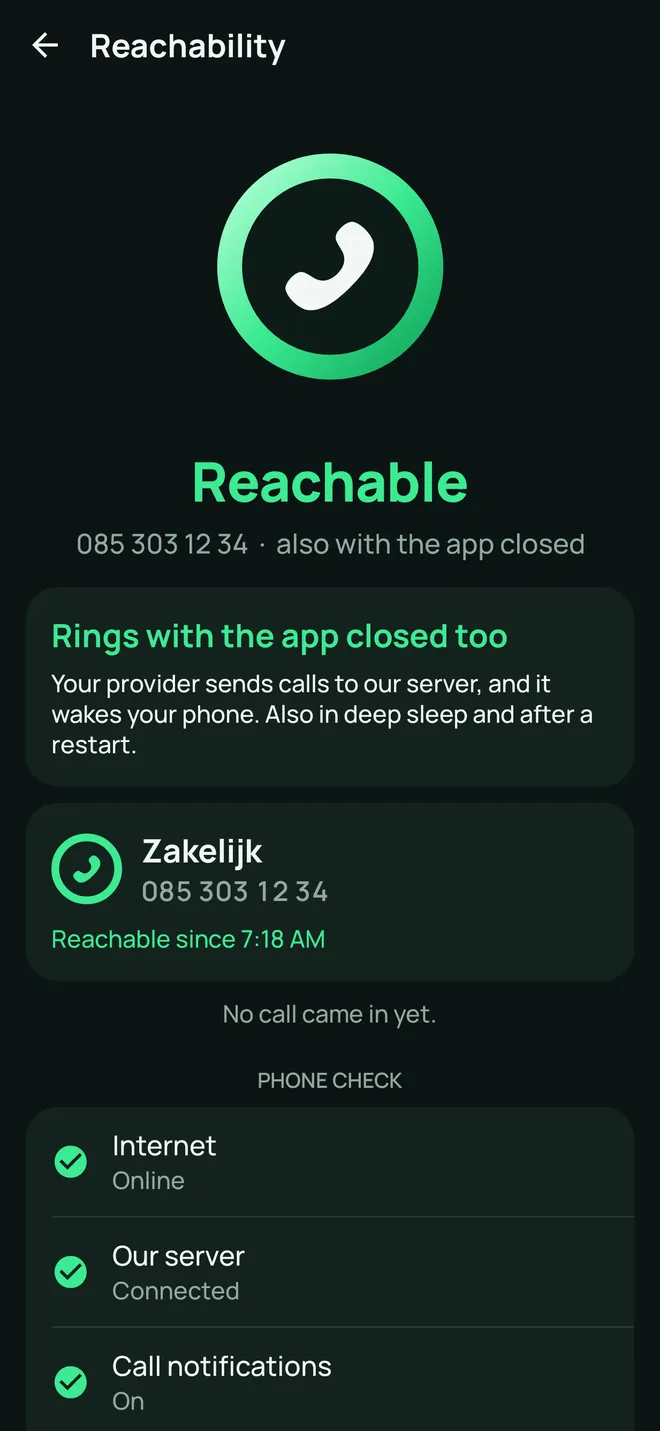
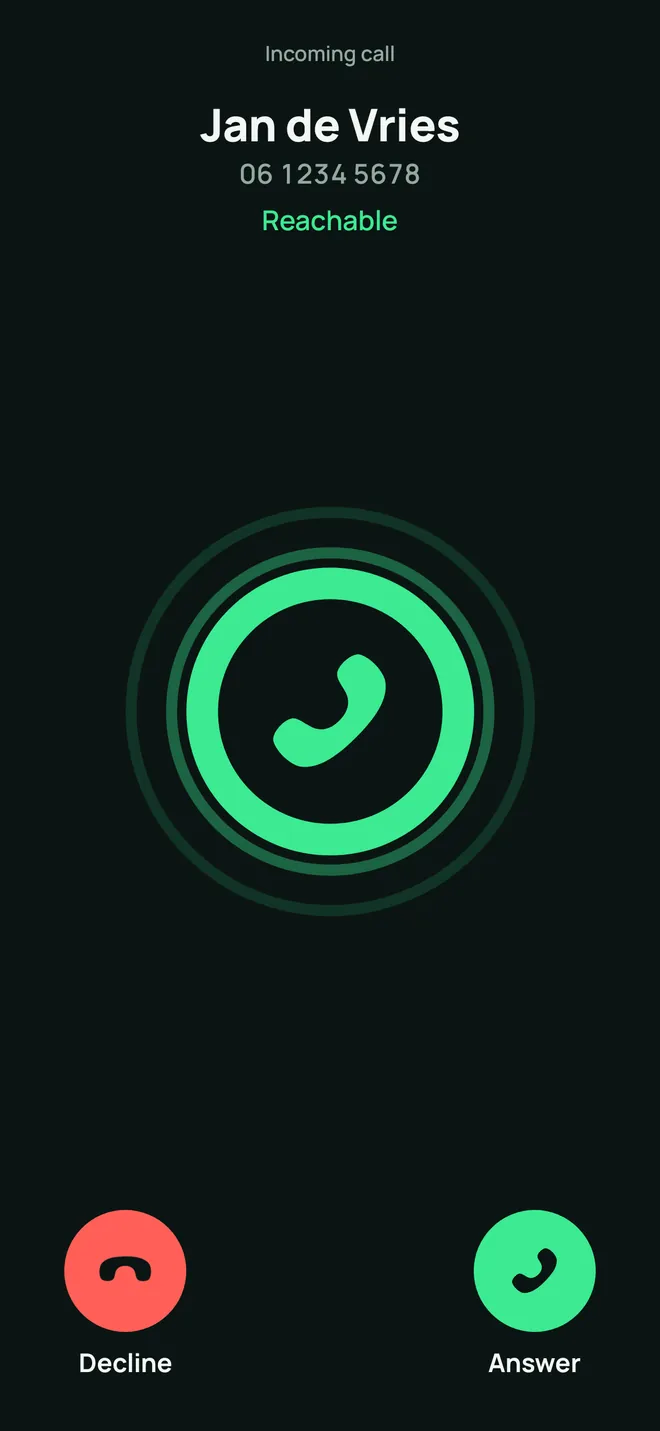
One ring. You always see that it works.
The Ring sits at the top of every screen, in your widgets and in your quick settings. Every state is a word, a shape and a colour, so you never have to rely on colour alone.
- ReachableA closed ring: your provider sends your calls here.
- ConnectingAn open ring: the app is signing you in.
- Not reachableA broken ring, with the reason in plain words below it.
- On a callThe ring fills like a clock, one turn per minute.
How a call reaches you when the app is closed
Your phone pauses apps in the background to save your battery. That is why our server holds your sign-in. To be honest: without such a server no app can reliably ring while it is closed.
Someone calls your number
Your landline or business number, at your own provider as always.
Our server takes the call
It runs in the EU and is signed in at your provider for you, day and night.
Your phone wakes up
With a push notification through Apple or Google. Who is calling travels encrypted.
It rings, even locked
On your lock screen, just like a normal phone call. You answer with one swipe.
As soon as you answer, the sound runs straight between your phone and your provider. Our server hears nothing and keeps no calls.
Switch our server off in your account's settings. Your phone then signs in at your provider itself and rings while the app is open or has just gone to the background.
Everything a phone should do. Free.
Including what other softphones charge for separately, such as push notifications, recording, transfer and HD sound.
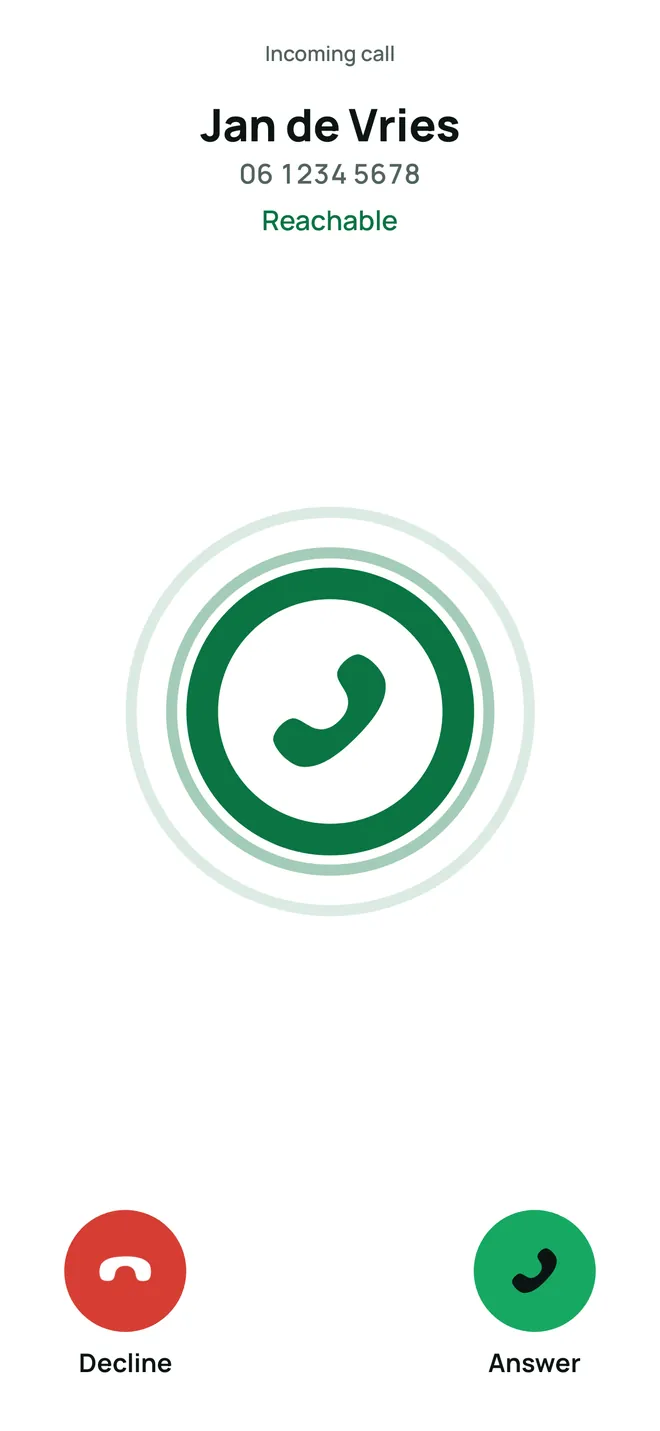
Rings, even when locked
Incoming calls show on your lock screen, just like a normal phone call. Also after a restart, on Wi-Fi and on mobile data.
- Every missed call says why it was missed
- One account can ring on several phones at once
- Your calls also show in your phone's recent calls
Set up in a minute
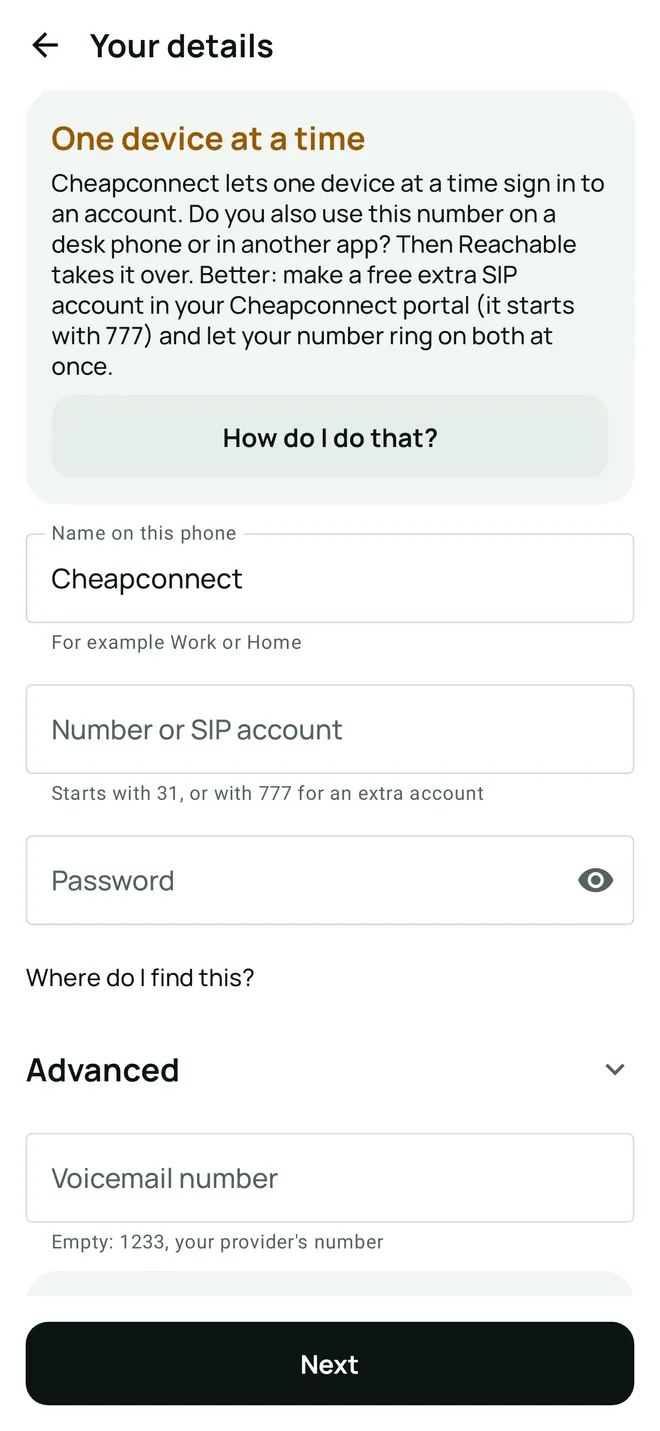
Pick your provider, or enter your SIP account: username, password and server. The test tells you straight away whether your provider signed you in, and if not, why, in plain words.
- Cheapconnect is built in
- Any SIP provider and your own phone system, over UDP, TCP or TLS
- Up to four accounts, each with its own name like Work or Home
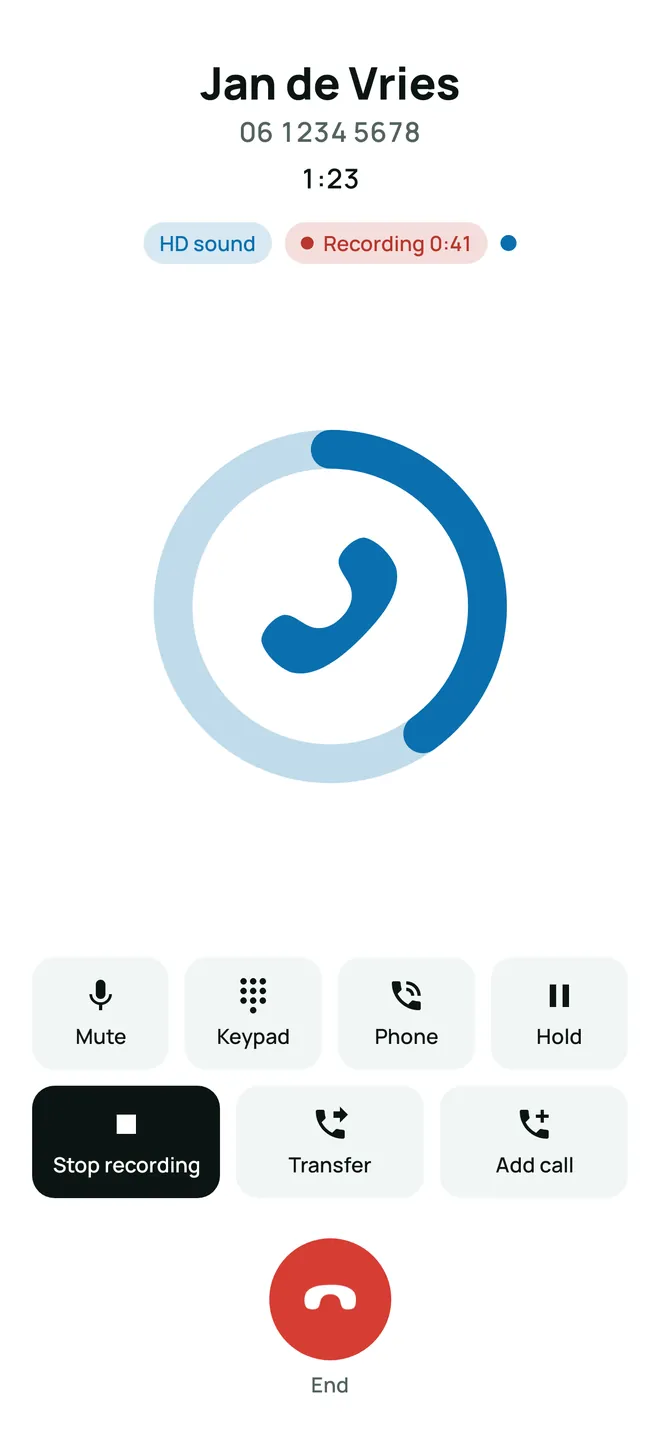
Record with one tap
You start a recording yourself. While it runs, a red dot and the time stay on screen. On iPhones that support it, Reachable then writes the recording out and sums it up in a few lines, all on your phone.
- Recordings stay on your phone, outside your backup
- They are removed after 90 days, or sooner if you like
- In some countries the other person must agree first
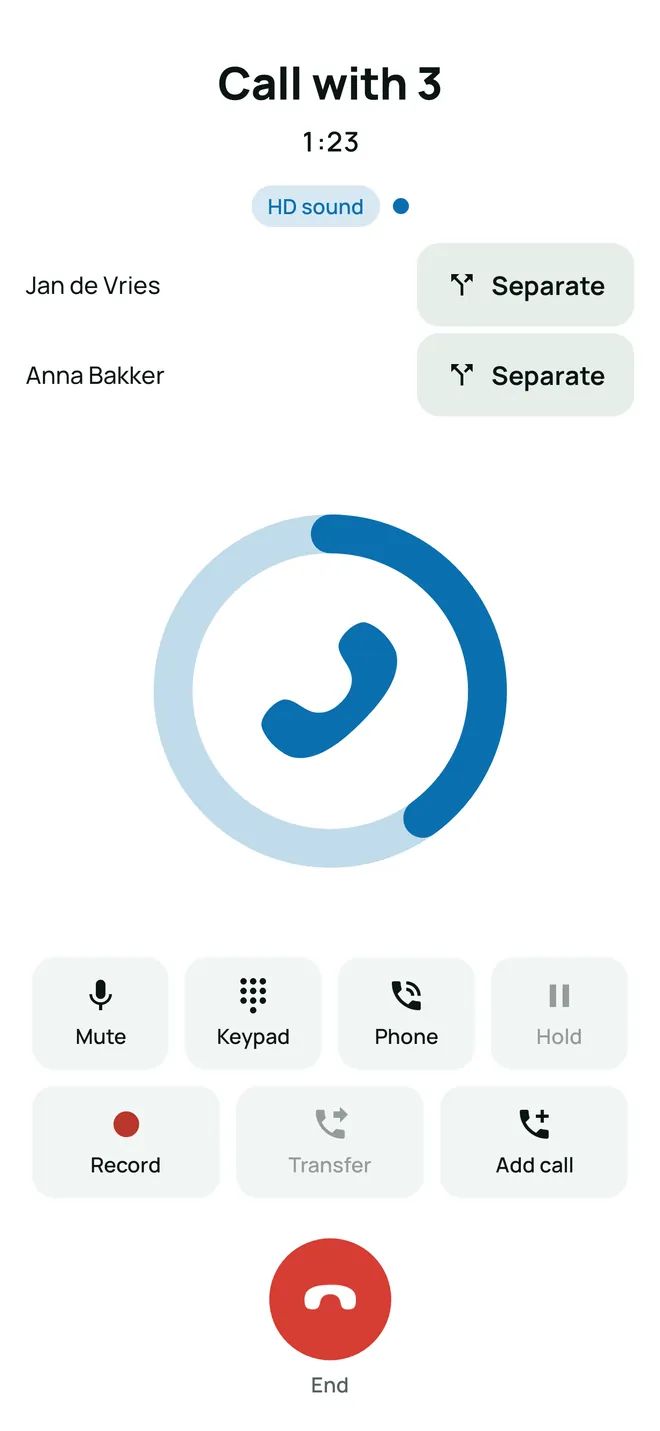
Transfer and three-way calls
Transfer a call, straight away or after a quick word first. Or add someone and talk with three. Mute, speaker, hold, Bluetooth and your car work the way you know.
- HD sound when your provider supports it, with echo cancellation
- Encrypted calls (TLS and SRTP) when your provider offers them
- Your voicemail in one tap, with the number of new messages
A question before costly numbers
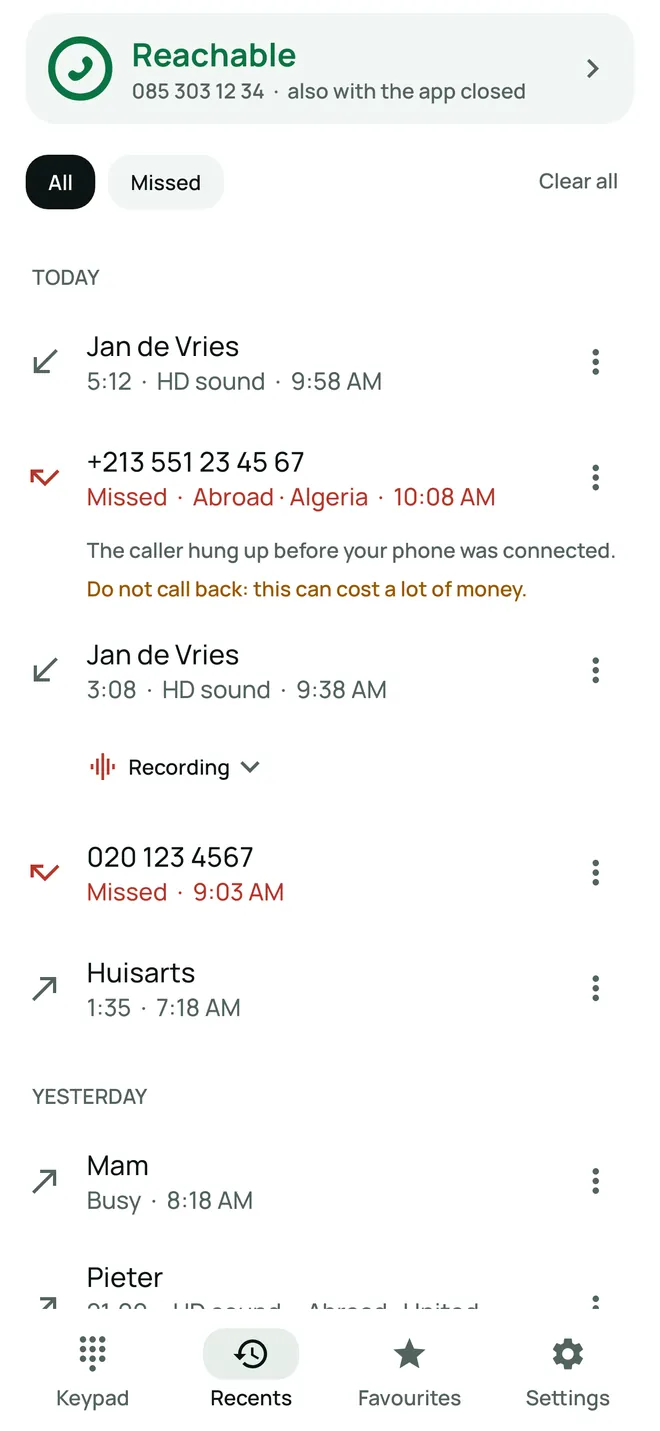
You see whether a number is from abroad, premium rate or hidden. Call back a costly or suspicious number and the app asks first. That stops the ring-once-and-wait-for-a-callback trick.
- Block the numbers you choose: your phone then stays quiet
- Refuse hidden numbers if you like
- All on your phone and our server, with no paid service from others
And also
The Ring on your home screen, in your iPhone's Control Center and in Android's quick settings.
On iPhone Reachable can be your default calling app. On Android you tap a number and pick Reachable.
Work and home side by side. Each account shows whether it works.
Choose per Focus which account stays quiet. Recents shows why a call did not ring.
Calls through your earbuds, your speaker or your car, just like the regular Phone app.
One tap calls your voicemail. You see how many new messages there are when your provider sends it.
Opus and G.722 when your provider supports them, with echo cancellation.
It is stored encrypted on your phone. Our server only gets a key that works only at your provider.
112, 999 and other emergency numbers always go to the regular Phone app.
What our server knows, and what it does not
Our server runs at Hetzner in Germany, in the EU. You can erase everything by removing your account in the app.
What it keeps
- while you use itYour SIP username and providerOften that is your phone number. Needed to sign you in.
- while you use itAn encrypted sign-in keyDerived from your password, works only at your provider. Only our server can open it.
- until 30 days quietYour phone's push codesFrom Apple or Google, to wake your phone.
- 30 daysCalls, without numbersWhen a call came and how it ended, so the app can tell you why you missed one.
- 7 daysWhether you were signed inFor the reason under Not reachable.
What it never gets
- Your passwordIt stays encrypted on your phone.
- Your callsThe sound runs straight between your phone and your provider.
- Recordings and transcriptsOnly on your phone, outside iCloud and your backup.
- Your contacts and your recent callsThey stay on your phone.
- Ads, tracking and analyticsNone. And no account with us.
Works with any SIP provider
You keep your own number and your own provider. Reachable is only the phone: it sells no call minutes.
Cheapconnect
Pick Cheapconnect and fill in only your number and your SIP password. The server and the rest are ready.
- Number
- starts with 31, or 777
- Server
- sip.cheapconnect.net
- Password
- SIP password from your portal
Another provider
Enter your username, your password and the server address. You find them in your provider's portal, under SIP accounts or devices.
Pasted a full address like name@server? The app splits it for you.
Your own phone system
An extension on your company's phone system or your own server. With TCP or TLS, your own port and an outbound proxy when needed.
Some providers, Cheapconnect for one, let only one device sign in on an account at a time. If you also use the same account in another app or on a desk phone, they keep taking it over from each other. Then create a free extra account for Reachable in your portal. How to do that
Questions
What does Reachable cost?
Nothing. Reachable is free, with no ads, no subscription and no account with us. The push notifications that make your phone ring while the app is closed are free too. You only pay your own provider, as you do now.
What do I need?
A SIP account with a VoIP provider, or your own phone system that speaks SIP. You need its username, its password and the address of the server. You find them in your provider's portal. More in Help.
How can it ring while the app is closed?
Your phone pauses apps in the background to save your battery. That is why our server stays signed in at your provider for you. When someone calls your number, our server sends a push notification through Apple or Google, and your phone rings. The call itself then runs straight between your phone and your provider.
Does it work with my provider?
Reachable works with any provider that uses SIP, and with your own phone system, over UDP, TCP or TLS. Cheapconnect is built in: pick it and fill in only your number and password. For another provider you also enter the server address.
Can I use my number on two phones at once?
Yes. Add the same account on your second phone, iPhone or Android: both ring and whoever answers first has the call. That also works at providers that allow only one device at a time, because only our server is signed in at your provider. Do you also use the number in another app or on a desk phone? Then read one device per number first.
Am I allowed to record a call?
In the Netherlands, Belgium and the UK you may record your own call. In some countries, Germany for example, the other person must agree first. You start a recording yourself, with one tap, and see a red dot while it runs. Recordings stay on your phone.
What does your server know about me?
Only what it needs to sign you in and wake your phone: your SIP username, your provider, an encrypted sign-in key, your phone's push codes and, without numbers, when a call came in. Your password, your calls and your recordings never reach us. It is all in the privacy policy.
Can I call 112 or 999 with Reachable?
Always call emergency numbers with the regular Phone app. Calls over the internet can drop, and an emergency centre may not see where you are. If you type an emergency number in Reachable, the app hands it to the Phone app straight away.
More setup help is on the help page.
Reachable. Even with the app closed.
Free for iPhone and Android. Coming soon to the App Store and Google Play.